
SWITNEX Kinetic Wireless Light Switch and 10A Relay Receiver Kit User Manual
SWITNEX Kinetic Wireless Light Switch and 10A Relay Receiver Kit User Manual
| Technical Data | |
|---|---|
| Switch Type | Kinetic Wireless Self-Generating Switch |
| Receiver Type | RF 433 MHz Relay Receiver |
| Operating Voltage (Receiver) | AC 110V-240V |
| Max Load (Receiver) | 10A / 1500W |
| Fuse | 10A (Replaceable) |
| Wireless Frequency | 433 MHz |
| Indoor Control Distance | Up to 50 meters |
| Outdoor Control Distance | Up to 100 meters (open space) |
| Switch Lifespan | > 200,000 clicks |
| Relay Lifespan | > 400,000 operations |
| Waterproof Rating (Switch) | IPX4 |
| Material | Plastic |
| Switch Dimensions (L x W x H) | 86mm x 86mm x 11mm |
| Receiver Dimensions (L x W x H) | 60mm x 43mm x 27mm |
| Operating Mode | ON-OFF |
| Connector Type | Screw Terminals |
Product Detail
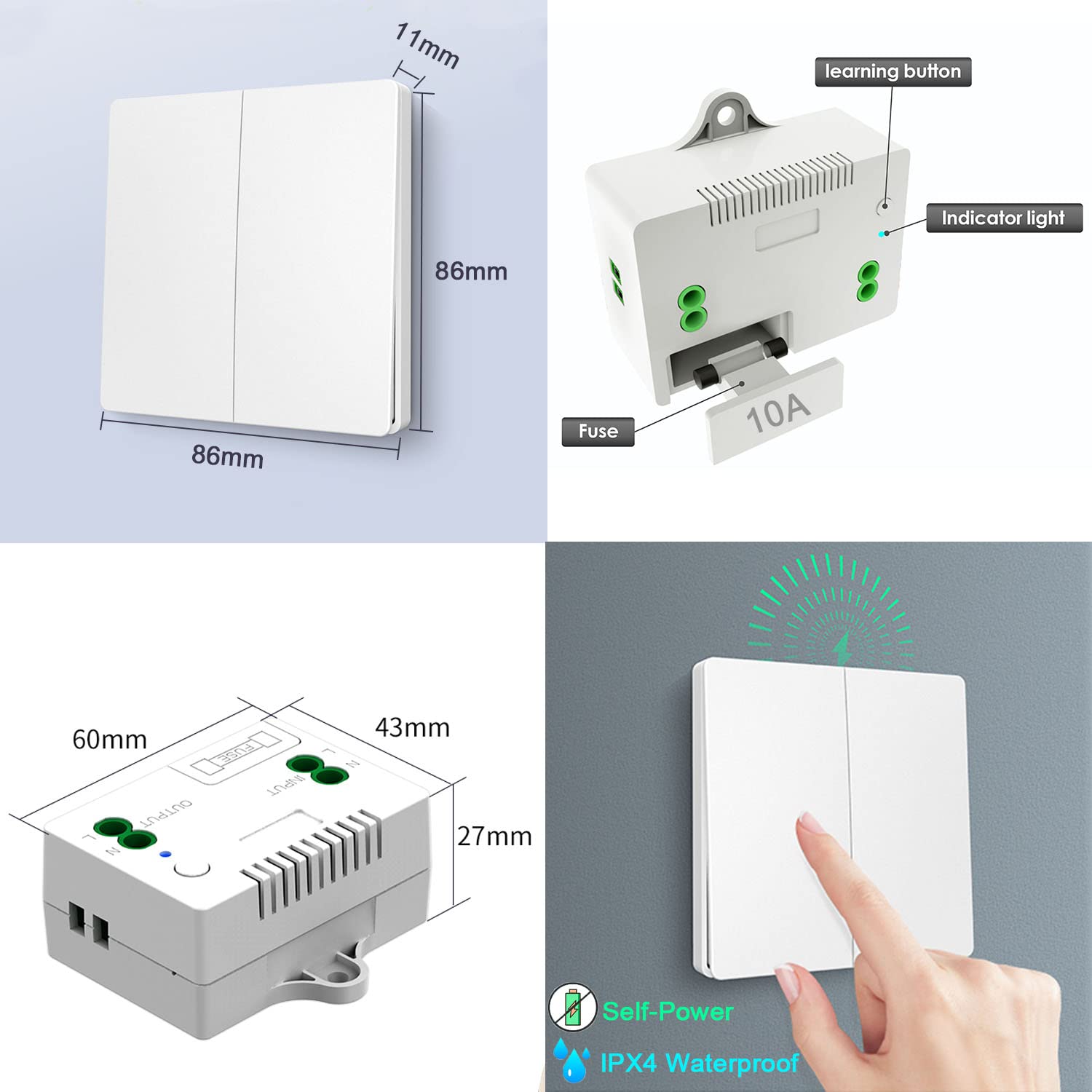
- 1 x Kinetic Wireless Switch – self-generating, no battery required, IPX4 waterproof, 86x86x11mm
- 1 x Relay Receiver – 10A relay, 433MHz RF, 60x43x27mm, includes learning button, indicator light, replaceable 10A fuse
- Mounting accessories – screws, double-sided tape
- Receiver terminals: L INPUT / N INPUT (power supply), L OUTPUT / N OUTPUT (to appliance)
Wiring Diagram
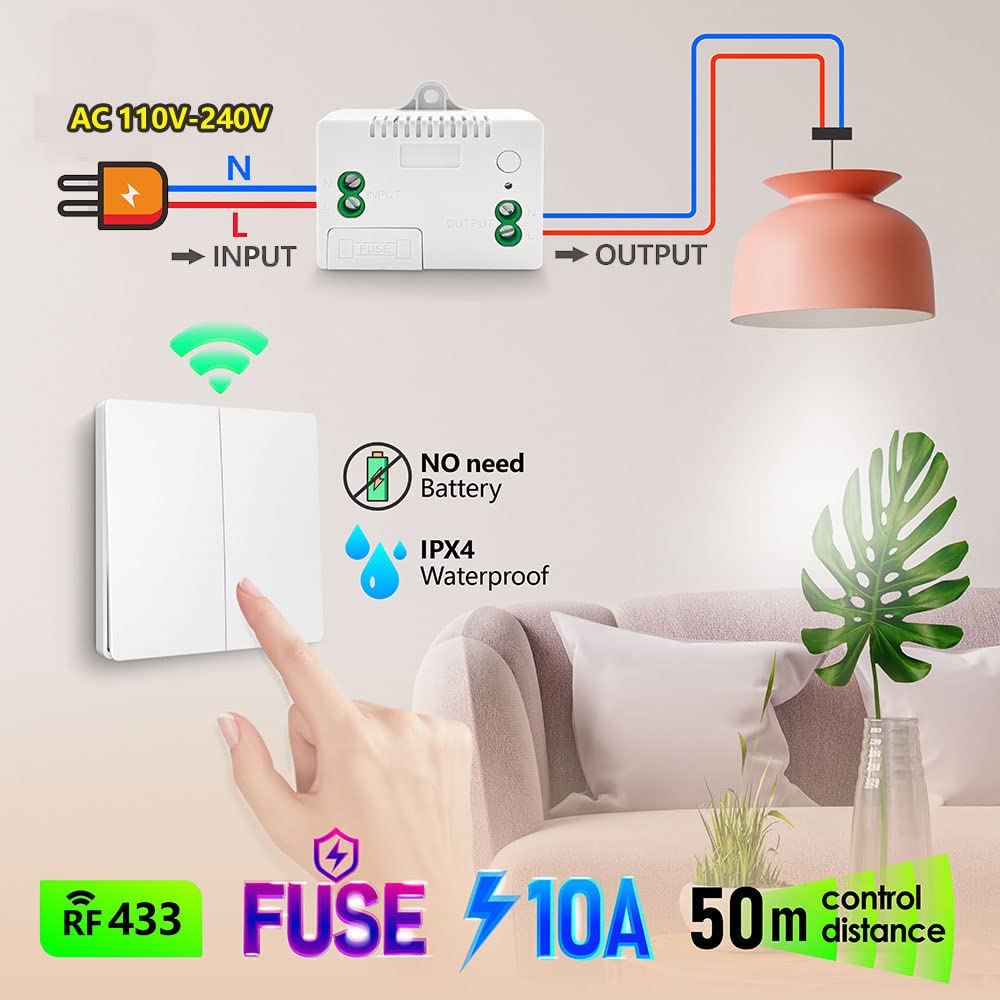
- Power input: Connect AC 110V-240V Live (L) to ‘L INPUT’, Neutral (N) to ‘N INPUT’
- Appliance output: Connect appliance Live (L) to ‘L OUTPUT’, Neutral (N) to ‘N OUTPUT’
- Maximum load: 1500W / 10A
Warning
- Always disconnect power at the circuit breaker before installing or servicing the receiver.
- Installation should be performed by a qualified electrician or a person with sufficient electrical knowledge.
- Ensure the receiver’s load does not exceed 1500W (10A at 110V-240V AC).
- The wireless switch is IPX4 waterproof, suitable for damp environments, but avoid submerging it in water.
- Do not attempt to repair or modify the device. Contact customer support for assistance.
- Usually the receiver and transmitter have been paired in factory. If not, reprogram them.
- Reset before you want to change the operating mode or add new switches.
- After reset, all previously paired switches will no longer work.
Operating Mode
Toggle Mode (Default)
Press the kinetic switch once → connected device turns ON
Press the switch again → connected device turns OFF
How to program (pairing):
- Press and hold the learning button on the receiver for approximately 3-5 seconds. The blue indicator light will illuminate. Release the button.
- Within a few seconds, press the button on the kinetic wireless switch once.
- The indicator light will flash, confirming successful pairing.
Multi-Control Scenarios
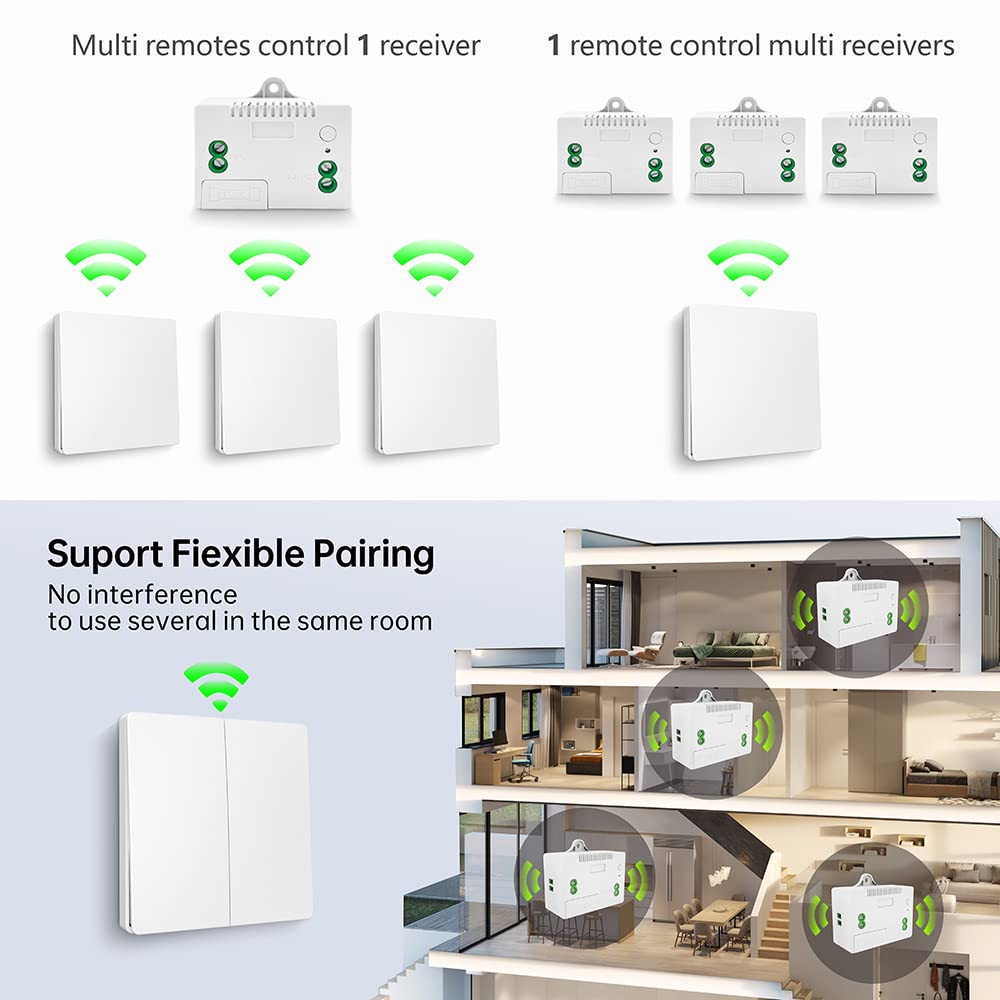
- Multiple switches control one receiver: Pair up to 5 wireless switches with a single receiver (e.g., top and bottom of stairs).
- One switch controls multiple receivers: A single wireless switch can be paired with multiple receivers to control several appliances simultaneously.
Control Distance
- Indoor: Up to 50 meters (signal passes through walls, floors, doors)
- Outdoor (open space): Up to 100 meters
Reset (Clear Paired Signals)
To clear all paired signals from the receiver (e.g., when replacing a switch or reconfiguring), press and hold the learning button for approximately 8-10 seconds. The indicator light will flash multiple times, confirming that all stored signals have been cleared.

Troubleshooting
| Problem | Possible Cause | Solution |
|---|---|---|
| Appliance does not turn ON/OFF | No power to receiver; Switch not paired; Receiver fuse blown; Appliance malfunction | Check power supply; Perform pairing steps; Check/replace 10A fuse; Test appliance directly |
| Reduced control distance or intermittent operation | RF interference; Obstructions (thick walls, metal); Exceeds max range | Relocate receiver/switch; Ensure no metallic obstacles; Operate within 50m indoor |
| Switch feels stiff or unresponsive | Mechanical issue; Debris | Clean switch; Contact support if persists |
Maintenance
- Cleaning: Wipe the switch and receiver with a dry, soft cloth. Do not use abrasive cleaners or solvents.
- Fuse replacement: If receiver stops functioning due to overload, disconnect power, open fuse compartment, replace with same rating (10A).
- Self-powered switch: No battery needed; designed for over 200,000 clicks.
- Relay lifespan: Designed for over 400,000 operations.
Contact
- WhatsApp: +86 15812381273
- Email: linktrol@icloud.com
If there is any question about the products, please contact us first. We will do our best to solve your problem. Thank you.

10% OFF
For an exclusive 10% OFF upgrade discount, Use code: FBA10.
Copy the code before visiting the shop.