
DieseRC SWITNEX Wireless Kinetic Light Switch and Receiver Instruction Manual
DieseRC SWITNEX Wireless Kinetic Light Switch and Receiver Instruction Manual
| Technical Data | |
|---|---|
| Receiver Voltage | AC 85V~250V |
| Quiescent Current | <5mA |
| Maximum Load | 1000W |
| RF Frequency | 433MHz |
| Operating Temperature | -30°C ~ +80°C |
| Receiving Sensitivity | >97dbm |
| Memory Capacity | Up to 5 wireless switches |
| RF Operating Mode | Superheterodyne ASK wireless reception |
| Receiving Range (indoor) | Approximately 50 meters |
| Receiver Dimensions (L x W x H) | 60mm x 43mm x 27mm |
| Receiver Protection Class | IP40 |
| Switch Base Size | 86mm x 86mm x 13mm |
| Switch Type | Rocker switch ON/OFF |
| Switch Lifespan | 200,000 times |
| Switch Power Type | Self-generating (kinetic) |
| Switch Protection Class | IP40 |
Product Detail
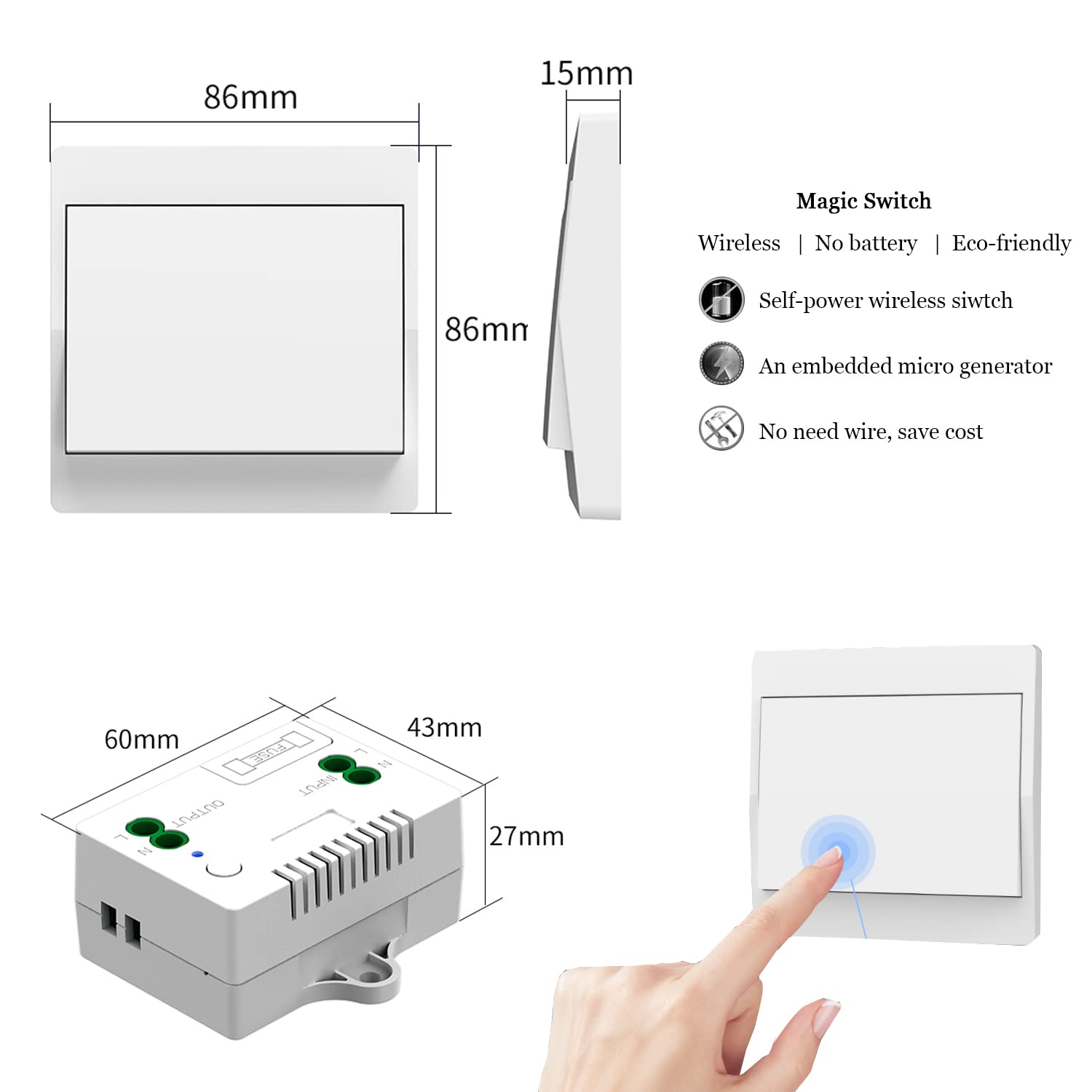
- Receiver Controller – wired unit, includes 10A fuse for self-protection, LED indicator, learning button
- Self-Generating Wireless Switch – no battery required, generates power from each press, waterproof design (IP40)
- Double-sided tape – for mounting the switch
- Screws – for receiver installation
- Product manual – included
Wiring Diagram

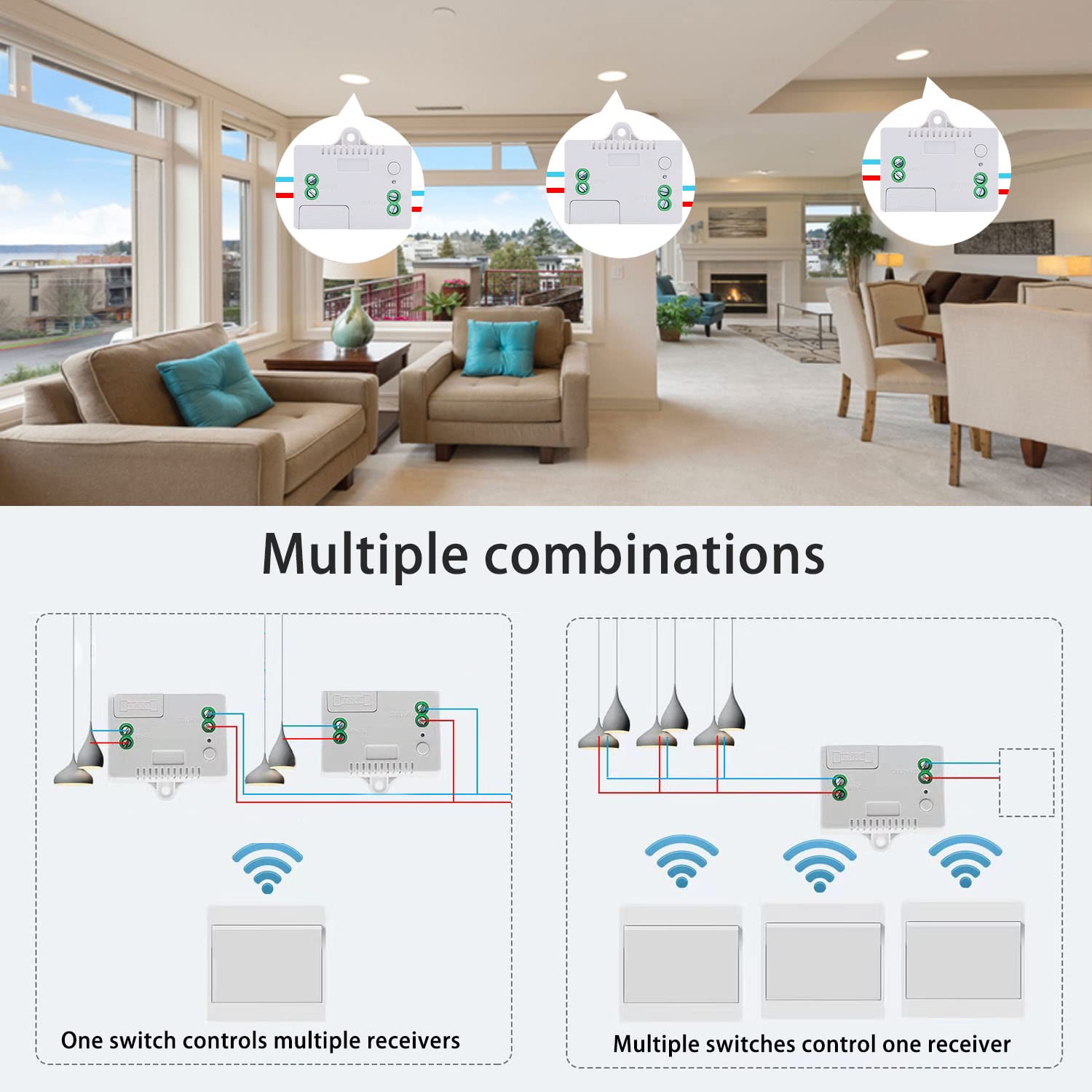
- Input: Connect to AC 85V~250V power source
- Output: Connect to electrical device (e.g., lamp, appliance)
- Receiver can be fixed to surface using provided screws
Warning
- Always disconnect power before performing any wiring or maintenance.
- Do not exceed the maximum load of 1000W.
- Install the receiver in a dry, well-ventilated area away from moisture and extreme temperatures.
- The wireless kinetic switch is waterproof (IP40) and safe for use in bathrooms and kitchens.
- Keep devices out of reach of children.
- Usually the receiver and transmitter have been pre-paired at the factory. If not, reprogram them.
- Reset before you want to change the operating mode or add new switches.
- After reset, all previously paired wireless switches will no longer work.
Operating Mode
Toggle Mode (Default)
Press the kinetic switch once → connected device turns ON
Press the kinetic switch again → device turns OFF
How to program (pairing):
- Press and hold the learning button on the receiver for approximately 3-5 seconds. The LED indicator will illuminate.
- While the LED is lit, press the button on the self-generating wireless switch one time. The LED on the receiver will flash, confirming successful pairing.
Multi-Control Functionality
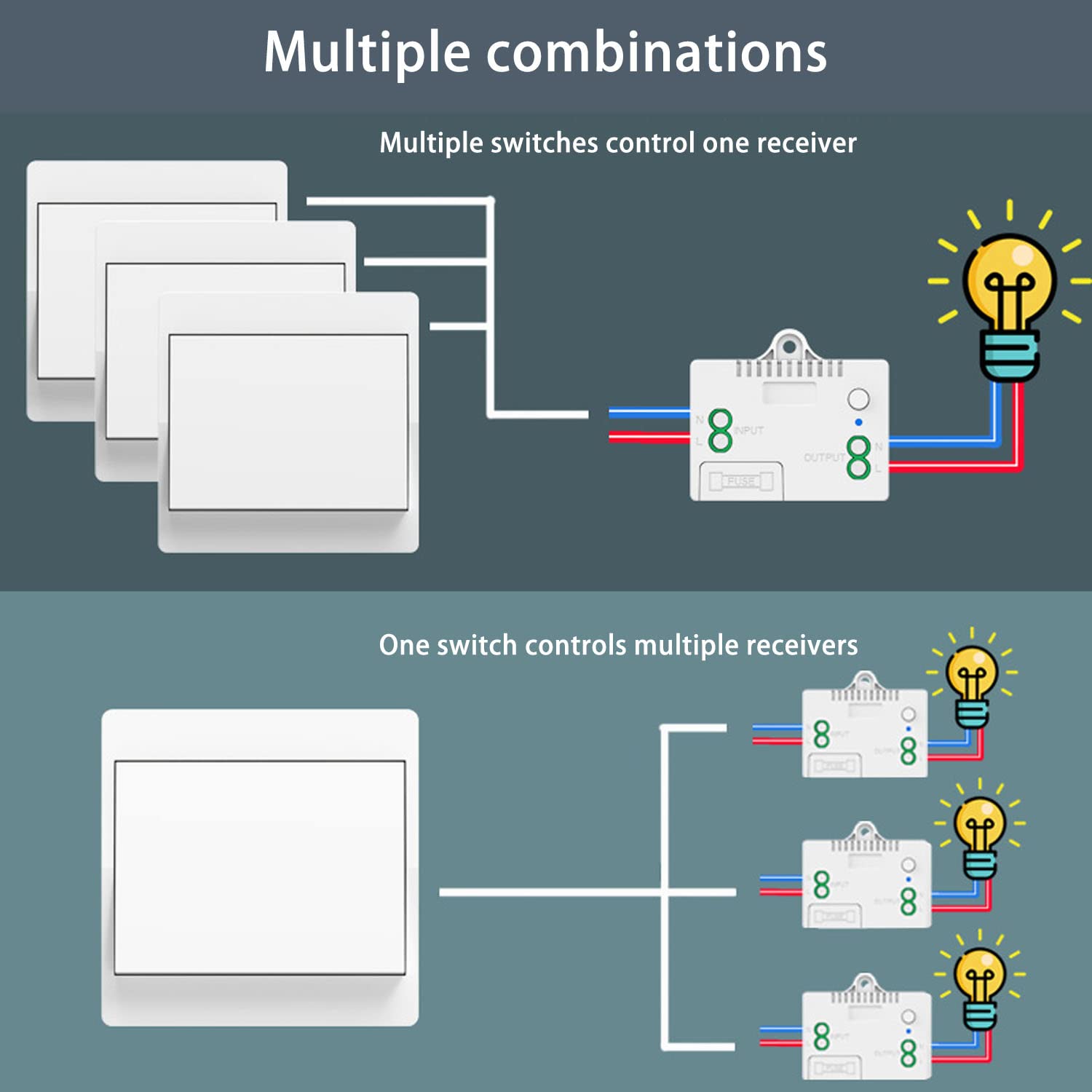
- One switch controls multiple receivers: A single wireless switch can be paired with multiple receivers to control several devices simultaneously.
- Multiple switches control one receiver: Up to 5 wireless switches can be paired with a single receiver, allowing control from various locations.
Reset
To clear all paired wireless switches from the receiver’s memory, press and hold the learning button for approximately 8-10 seconds. The LED indicator will flash 3 times, confirming reset. After reset, previously paired switches will no longer control this receiver.

Troubleshooting
If the receiver and switch cannot operate normally, try the following steps:
- Switch not responding: Ensure receiver is powered on and correctly wired. If reset recently, re-pair the switch (see Operating Mode > How to program).
- Intermittent control: Extreme distances or multiple thick obstacles may affect performance. Try repositioning receiver or switch.
- Device not turning on/off: Check wiring connections to ensure they are secure. Verify connected device is functional and not overloaded. If receiver is unresponsive, check internal 10A fuse and replace if blown.
Maintenance
- Wireless switch: Designed for over 200,000 clicks. Waterproof design allows safe use in bathrooms/kitchens without risk of electric shock or battery corrosion.
- Receiver fuse: The receiver includes a 10A fuse for overload protection. If blown, replace with same rating.
- Cleaning: Wipe devices with a soft, dry cloth. Do not use liquid cleaners or solvents.
Contact
- WhatsApp: +86 15812381273
- Email: linktrol@icloud.com
If there is any question about the products, please contact us first. We will do our best to solve your problem. Thank you.


10% OFF
For an exclusive 10% OFF upgrade discount, Use code: FBA10.
Copy the code before visiting the shop.